Equipment Selection Solution of Industrial Panel PC for MES Workstations in Discrete Manufacturing Workshops
News 2026-11-19
Discrete manufacturing features fragmented production processes, varied product specifications, frequent job changeovers, and distributed workshop stations. Stable local terminals are required to connect operators, field equipment and Manufacturing Execution Systems (MES). Industrial all-in-one panel PCs serve as on-site HMI nodes to support data collection, process guidance, quality recording and workflow interaction for discrete production scenarios. This article introduces key considerations for hardware selection and matching configuration frameworks.
Core Application Scenarios at Discrete Manufacturing Stations
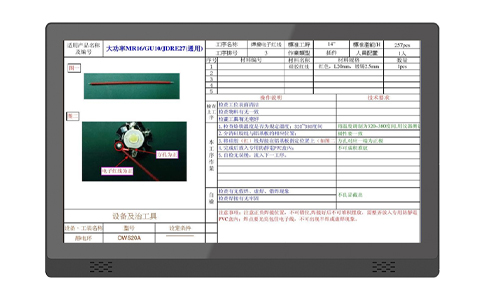
At each workstation of discrete workshops, the panel PC acts as the interactive terminal for MES clients. Operators can call digital SOPs, scan material codes, submit production counts, log inspection records, mark abnormal events and submit material requests. It supports data synchronization between field operations and upper-layer MES, ERP and SCADA systems. Typical applicable industries include automotive component assembly, electronic assembly, mechanical parts processing, medical device manufacturing and general hardware assembly.
Different stations carry different load requirements. Simple task reporting and barcode identification require basic computing resources; stations running drawing preview, local image inspection and multi-task MES clients need higher CPU, memory and storage configurations.
Main Selection Criteria
1. Environmental Adaptability
Discrete workshops may contain dust, oil mist, vibration and temperature fluctuation. Fanless passive cooling structure is preferred to reduce failure points caused by dust accumulation. The front panel can adopt IP65 protection rating to resist splashing and dust contact. Wide operating temperature range suits non-air-conditioned workshop areas. Aluminum alloy chassis is commonly used for heat dissipation and structural stability.
2. Touch and Display Configuration
Touch options include projected capacitive touch and resistive touch. Resistive touch supports operation with gloves, which fits many assembly and processing stations. Capacitive touch delivers smoother interaction for frequent tapping and multi-point operation. Screen brightness can be selected according to workshop lighting conditions. Sizes cover 8-inch, 10.1-inch, 12-inch, 15-inch, 15.6-inch, 19-inch and 21.5-inch for different installation spaces.
3. Computing Platform and Operating System
Two mainstream platforms are available: X86 architecture and ARM architecture.
- X86 series: Compatible with Windows 10/11 and Linux distributions, suitable for standard MES client software, browser-based production dashboards and third-party industrial software. Processors include Celeron, Core i3, i5 options.
- ARM series: Usually runs Android or Linux, used for lightweight data collection, code scanning and simple page display, with lower power consumption.
RAM and SSD storage can be configured on demand. SSD is adopted to avoid bad sector risks under workshop vibration.
4. I/O Expansion and Peripheral Compatibility
Rich interfaces are important for discrete stations, as each station may connect barcode scanners, RFID readers, label printers, PLCs, sensors, electronic scales and cameras. Common reserved interfaces include RS232/485 serial ports, USB ports, Gigabit Ethernet, audio and DC power terminal. Dual Ethernet is optional for network redundancy. Wireless modules such as Wi-Fi and Bluetooth can be integrated for wireless network access.
5. Installation Form
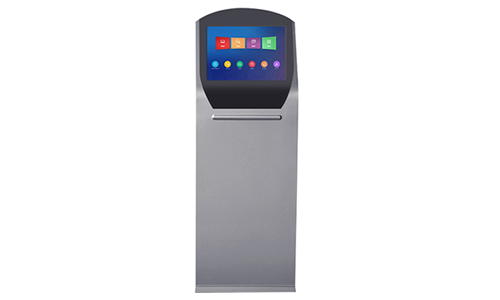
Multiple mounting ways are supported to adapt workshop layouts: panel embedded mounting, VESA wall mounting, cantilever arm mounting, desktop bracket mounting and pole mounting. Users can confirm cutout size and reserved space before installation.
Reference Configuration Packages for Different Station Types
Light-duty Station (Material receiving, simple reporting, barcode traceability)
- Platform: ARM or low-power Celeron X86
- RAM: 2GB / 4GB
- Storage: 32GB / 64GB SSD
- Touch: Resistive or capacitive
- Interfaces: 2×USB, 1×COM, 1×LAN
- Suitable for: Material issuing station, finished goods warehousing, simple process confirmation
Standard MES Station (Assembly, quality inspection, SOP display)
- Platform: Celeron / Core i3 X86
- RAM: 4GB / 8GB
- Storage: 128GB SSD
- Touch: Glove-supported resistive or multi-point capacitive
- Interfaces: Multiple USB, 2×COM, dual LAN, optional Wi-Fi
- Suitable for: Main assembly stations, inline quality check stations, manual process stations
Heavy-duty Station (Drawing preview, vision auxiliary, multi-software concurrent running)
- Platform: Core i3 / i5 X86
- RAM: 8GB / 16GB
- Storage: 256GB SSD or above
- Interfaces: Expanded serial ports, dual LAN, USB3.0, optional camera interface
- Suitable for: Precision assembly, offline inspection station, stations with local image analysis
Integration Notes
Before finalizing selection, confirm the compatibility of the MES software with the operating system and driver. Verify communication protocols with on-site PLC and peripheral devices. Confirm power supply specification; wide DC voltage input (9–36V) helps adapt unstable power supply in factories. For batch deployment, unified hardware specifications reduce spare part management pressure. Customized I/O, touch type and screen size can be arranged according to workshop layout and station function differentiation.
Summary
Industrial panel PCs for discrete manufacturing MES workstations should be selected based on station functions, workshop environment, software compatibility and peripheral connection demands. The fanless rugged structure, flexible installation and configurable I/O help build distributed digital collection nodes on the shop floor. Matching hardware specification with actual workflow supports stable data circulation and process visualization for discrete production.
If you need, I can provide a shorter version for homepage blog, or a separate datasheet-style specification summary.