The Application Practice of Industrial Touch Screens in CNC Machines
Product knowledge 2026-03-03
Numerical control machines, as the core equipment in the fields of intelligent manufacturing and mechanical processing, their operational accuracy and ease of operation directly affect the processing quality and production efficiency. With the development of industrial automation technology, industrial touch screens, due to their intuitive operation, rapid response, high integration, and suitability for industrial scenarios, have gradually replaced traditional keypunch operation panels and become the core carrier of human-machine interaction for numerical control machines. This article, based on the processing procedures and actual application scenarios of numerical control machines, summarizes the core application scenarios and advantages of industrial touch screens in numerical control machines, analyzes the precautions and optimization measures during the application process, and provides objective and practical application references for practitioners in the mechanical processing field, helping to achieve the deep integration of industrial touch screens and numerical control machines, and improving the operational convenience and operational stability of numerical control machines.
I. The Foundation for the Compatibility between Industrial Touch Screens and CNC Machines
The processing process of CNC machines features high precision, high speed, and complex parameter settings, which impose specific requirements on the stability, ease of operation, and anti-interference ability of human-machine interaction devices. Industrial touch screens can meet the application needs of CNC machines, primarily due to their own industrial-grade characteristics and functional compatibility, laying the foundation for the deep integration of the two.
On one hand, industrial touch screens have strong environmental adaptability. They can withstand vibrations, dust, and temperature fluctuations within a certain range during the operation of CNC machines. The protection level is usually IP54 or above, enabling them to adapt to the complex environment of the machine tool processing workshop and avoiding operational abnormalities caused by environmental factors. On the other hand, industrial touch screens support seamless interaction with the PLC, servo system, and CNC system of CNC machines. They can achieve precise input of processing parameters and real-time feedback of operating status. At the same time, they have the function of customizing operation interfaces, which can adapt to the processing needs of different types of CNC machines and the operation habits of operators, thereby improving the adaptability of human-machine interaction.
Furthermore, the touch operation mode of industrial touch screens has replaced the cumbersome key and knob operations of traditional CNC machines. This simplifies the operation process, reduces the learning cost for operators, and also eliminates the operational failures caused by key wear, thereby providing a guarantee for the stable operation of CNC machines.
II. Core Application Scenarios of Industrial Touch Screens in CNC Machines
Industrial touch screens are applied throughout the entire processing process in CNC machines, covering core aspects such as parameter setting, processing operations, status monitoring, fault diagnosis, and data management. Considering the processing characteristics of CNC machines, the main application scenarios of these touch screens mainly lie in the following aspects.
(1) Setting and Editing of Processing Parameters
The precise setting of processing parameters is the core prerequisite for achieving high-quality processing by CNC machines. The industrial touch screen, as the main carrier for parameter input and editing, provides an intuitive and convenient operation interface for operators. Operators can directly input or edit various processing parameters of the CNC machine through the touch interface, including cutting speed, feed rate, back clearance, spindle speed, and processing coordinate system, etc. After the parameter setting is completed, real-time preview and saving can be performed, making it convenient for subsequent invocation and modification.
Compared with traditional key-operated control panels, the parameter setting interface of industrial touch screens adopts a graphical design. It can set parameters according to processing procedures and product models, and supports functions such as batch parameter modification and one-click restoration of default parameters, significantly improving the efficiency and accuracy of parameter setting. For example, when processing the same type of parts in batches, operators can save the set processing parameters as templates and directly call them for subsequent processing, avoiding repetitive settings, reducing operational errors, and enhancing processing efficiency.
(II) Processing Operations and Process Control
During the processing of CNC machines, industrial touch screens play a crucial role in controlling the processing operations and the overall process. Operators can fully manage the processing procedures through the touch interface. Specifically, they can start, pause, and stop the processing procedures, switch processing modes (such as manual mode, automatic mode, and editing mode), control the running direction and speed of the spindle and feed axis, and achieve precise control of the processing process.
Meanwhile, the industrial touch screen can display the real-time progress of the processing procedure. Operators can directly view information such as the current processing step, the completed work volume, and the remaining processing time, which facilitates the reasonable arrangement of subsequent production plans. In the manual operation mode, operators can control the movement of the machine tool’s coordinate axes through the touch screen, achieving precise positioning and tool setting of the workpiece. The operation is convenient and accurate, and it reduces the difficulty of manual operation.
(3) Real-time Monitoring of Operating Status
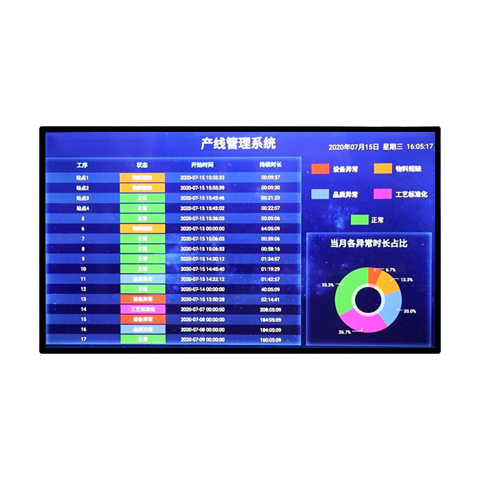
The stable operation of CNC machines is the key to ensuring processing quality. The industrial touch screen, as a visual window for status monitoring, can collect and display various operation data of the CNC machine in real time, enabling operators to promptly grasp the operation status of the equipment. The touch screen can simultaneously display core operation parameters such as spindle speed, feed rate, cutting load, oil temperature, and voltage. At the same time, through indicator lights and text prompts, it presents the operating status of the machine (such as normal operation, fault shutdown, standby, etc.).
When the numerical control machine experiences abnormal operation (such as overload of the spindle, malfunction of the feed axis, parameter deviation, or excessively high oil temperature), the industrial touch screen will promptly display a fault prompt message, clearly indicating the type of fault, the location of the fault, and preliminary troubleshooting suggestions. Operators can quickly locate the fault point based on the prompt and take targeted handling measures to shorten the equipment downtime and ensure the continuous progress of the processing procedure. Additionally, some industrial touch screens support multi-window display functionality, which can simultaneously present multiple operating parameters and statuses, thereby enhancing the monitoring efficiency.
(4) Fault Diagnosis and Maintenance Management
The troubleshooting and daily maintenance of CNC machines are crucial steps for ensuring the service life of the equipment and improving processing efficiency. Industrial touch screens provide convenient support for troubleshooting and maintenance management. On one hand, the touch screen can automatically record the fault information of the CNC machine, including the time of the fault occurrence, the type of the fault, the fault code, the handling method, etc., forming a fault ledger. Operators can query historical fault records through the touch screen, analyze the patterns of fault occurrence, predict potential faults in advance, and achieve preventive maintenance.
On the other hand, industrial touch screens can display maintenance information for CNC machines, including maintenance cycles, maintenance items, and the number of maintenance operations, alerting operators to promptly carry out equipment maintenance (such as lubrication, part replacement, and accuracy calibration). At the same time, operators can view maintenance manuals, maintenance procedures, and other materials through the touch screen, clearly identifying maintenance priorities and operational norms, simplifying the maintenance process, and reducing maintenance costs and the workload of maintenance personnel.
(V) Processing Data Management and Traceability
In modern mechanical processing production, the management and traceability of processing data have become increasingly important. Industrial touch screens can effectively manage and trace the processing data of CNC machines. The touch screen can collect various data during the processing process in real time, including the number of processed parts, the processing pass rate, the processing duration, parameter setting records, etc., and simultaneously transmit them to the CNC system or the upper-level management system to achieve centralized storage and management of the data.
Operators can query historical processing data through the touch screen, analyze processing efficiency and quality, and provide data support for optimizing the production process and adjusting processing parameters. At the same time, the processing data can be traced. When there is a processing quality problem, the corresponding batch parts’ processing parameters, operation status, etc. can be queried through the touch screen, enabling quick identification of the cause of the problem and facilitating rectification and accountability. In addition, some industrial touch screens support data export functions, which can export the processing data in the form of reports, making it convenient for managers to conduct statistical analysis.
III. Advantages of Industrial Touch Screens in the Application of CNC Machines
Compared with traditional key-operated control panels, the application of industrial touch screens in CNC machines can effectively optimize the operation process and enhance the stability of equipment operation. Its core advantages mainly lie in the following aspects, which are in line with actual application requirements and do not involve exaggerated statements.
Simplify the operation process and lower the operational threshold: The industrial touch screen adopts a graphical and visual operation interface. The operation process is simple and intuitive, allowing operators to get started without complex training. It replaces the traditional cumbersome key operations, reduces operation steps and errors, and improves operational efficiency.
- Enhance the accuracy of parameter settings to ensure processing quality: The parameter setting interface is clearly categorized and easy to operate. It supports functions such as parameter preview, saving, and batch modification, reducing errors in parameter settings and ensuring the accuracy of processing parameters, thereby providing a guarantee for high-quality processing.
- Achieve visualized status monitoring to facilitate fault response: Real-time display of the operation status and key parameters of the CNC machine tool. When a fault occurs, it promptly alerts, enabling operators to respond quickly and troubleshoot the issue, reducing downtime and enhancing production continuity.
- Simplify maintenance management and reduce operation and maintenance costs: It can record fault information, remind maintenance cycles, provide maintenance reference materials, simplify fault diagnosis and daily maintenance procedures, reduce maintenance time and costs, and extend the service life of CNC machines.
- Support for functional expansion and adaptation to upgrade requirements: The industrial touch screen can be seamlessly integrated with the numerical control system and the upper-level management system. It supports custom interfaces and functional expansion, and can adapt to the upgrade and renovation needs of the numerical control machine tools, thereby enhancing the intelligence level of the equipment.
IV. Precautions for the Application of Industrial Touch Screens in CNC Machines
To ensure the stable operation of industrial touch screens in CNC machines and fully utilize their application value, considering the processing scenarios of CNC machines, the following points need to be noted to avoid equipment failures or processing impacts caused by improper adaptation or unstandardized operation.
(1) Precautions for Model Selection and Adaptation - Matching of machine tool types and processing requirements: Different models and types of CNC machines have differences in operation requirements and complexity of parameter settings. Therefore, an industrial touch screen that is suitable in terms of size, touch sensitivity, and functions needs to be selected. For example, for high-precision processing machines, a touch screen with high touch sensitivity and fast response speed should be chosen; for complex processing machines, a touch screen with moderate size and support for multiple window displays can be selected.
- Focus on environmental adaptability: The processing workshop of CNC machines usually has situations such as dust, vibration, and oil contamination. Therefore, an industrial touch screen with an IP54 or higher protection level should be selected to ensure that it can resist the erosion of dust and oil, adapt to the vibration during machine operation, and avoid touch abnormalities and equipment damage.
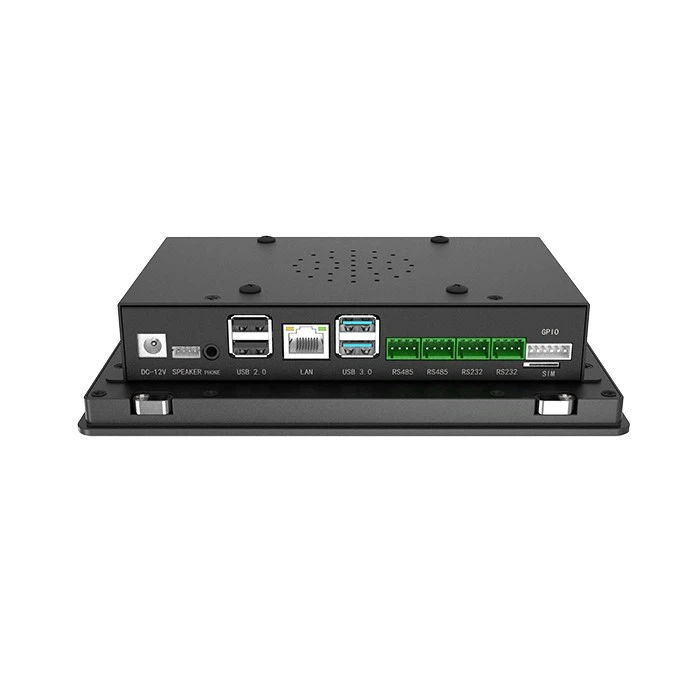
- Ensure compatibility: Select an industrial touch screen that is compatible with the communication protocol and interface type of the CNC system, PLC, and servo system of the CNC machine. This will prevent issues such as abnormal linkage and data transmission interruption. Prioritize products that support common communication interfaces (such as Ethernet, RS485) to enhance compatibility and scalability.
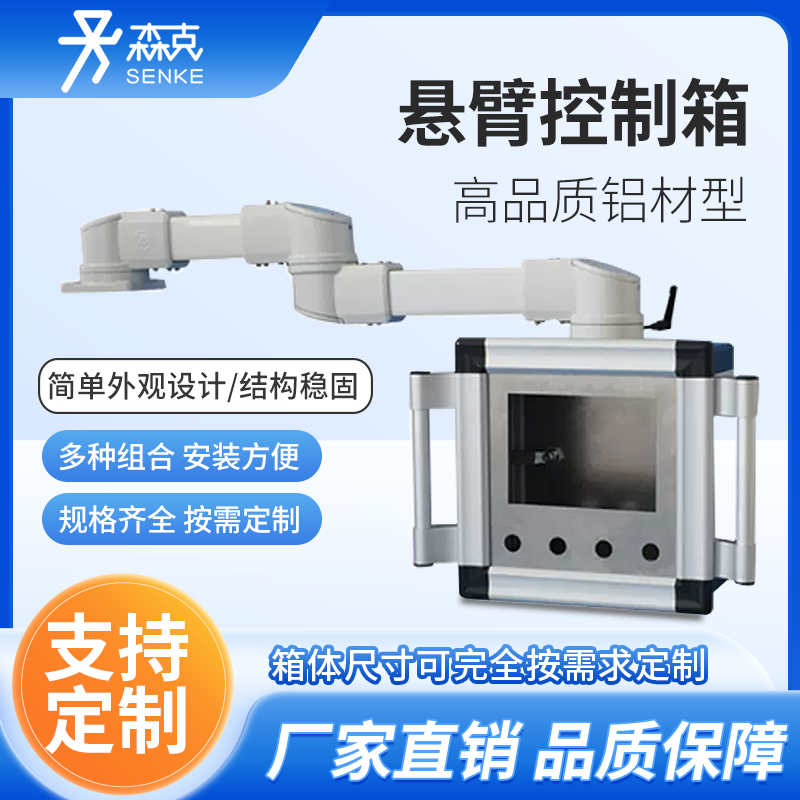
(II) Installation and Commissioning Precautions - Select an appropriate installation location: The installation site should be convenient for the operators to observe and operate, and should be far away from the machine spindle, cutting area and other parts prone to dust and oil contamination. It is necessary to prevent the cutting fluid and dust from splashing onto the touchscreen surface. At the same time, it should be far away from the vibration source of the machine tool, and the installation must be firmly fixed to avoid the touchscreen loosening or shifting due to the vibration during machine operation, which may affect the touch control accuracy.
- Standardize the debugging process: After the installation is completed, the touch sensitivity, display effect, data transmission, command issuance and other functions of the industrial touch screen need to be fully tested to verify the linkage effect with the CNC machine tool; test the functions of fault indication, parameter saving and retrieval, etc., and ensure that the debugging is qualified before putting it into use, to avoid processing failures caused by improper debugging.
(III) Daily Use and Maintenance Tips - Standardize operation procedures: Operators must undergo professional training to be familiar with the operation methods and function layout of the touch screen, and avoid incorrect operations; during operation, apply moderate force to prevent excessive pressure on the touch screen, which could damage the touch layer and the screen glass; operate strictly according to the operation permissions, do not randomly modify the core processing parameters, and ensure the stability of the processing process.
- Regular cleaning and maintenance: Regularly clean the surface of the touch screen. Before cleaning, the power must be turned off. Use a clean, soft, dust-free cloth to gently wipe it. Do not use cleaning agents containing corrosive components such as alcohol or acetone to prevent corrosion of the screen surface and touch layer. Regularly remove dust and oil from the interface to ensure good interface contact and avoid abnormal data transmission.
- Regularly troubleshoot: Conduct regular tests on the operation status of the touch screen, check the touch sensitivity, display effect, and data transmission. Promptly identify and address issues such as touch malfunction, display distortion, and abnormal fault prompts; Regularly back up processing parameters, fault records, etc. to prevent data loss and facilitate quick recovery when the equipment encounters problems.
- Protection Additions: In processing scenarios with high levels of dust and oil contamination, a dust-proof and oil-proof protective cover can be installed on the touch screen to further enhance the equipment’s environmental tolerance; prevent the touch screen from being hit or knocked, and avoid screen damage and internal component damage.
V. Application Optimization Measures
To further enhance the application effect of industrial touch screens in CNC machines, based on practical application experience, the following optimization measures can be adopted. These measures are tailored to the production reality and aim to improve the human-computer interaction experience and the stability of the equipment operation. - Customized operation interface: Based on the processing procedures of the CNC machine tool and the operating habits of the operators, a customized touch screen operation interface is created. Common functions and core parameters are placed in prominent positions to simplify the operation steps and enhance the operational efficiency.
- Implement hierarchical permission management: Define the operation permissions for different positions and personnel. For example, operators can only perform parameter calls and processing operations, while managers can perform operations such as parameter modification, fault detection, and data management. This helps prevent processing failures and data leaks caused by improper operations.
- Optimize data interconnection function: Improve the data interconnection between the industrial touch screen and the numerical control system of the CNC machine, as well as the upper-level management system. Realize the real-time synchronization of processing data and fault information, facilitating the overall management and control by the managers, and providing more comprehensive data support for production optimization.
- Strengthen training for operators: Regularly provide training on industrial touch screens and CNC machine operations for the operators, enhancing their operational skills and troubleshooting capabilities, standardizing their operational behaviors, reducing operational errors, and fully leveraging the application value of industrial touch screens.
VI. Summary
Industrial touch screens, as the core human-computer interaction device suitable for industrial scenarios, have been applied in numerical control machines, achieving simplification of operation procedures, visualization of operating status, convenience of fault diagnosis, and standardization of data management. This has effectively enhanced the operational convenience, operational stability, and processing quality of numerical control machines, providing strong support for efficient production in the field of mechanical processing.
In practical applications, it is necessary to combine the type of CNC machine tools, processing requirements and workshop environment to properly select, adapt, install, debug and maintain industrial touch screens, avoid common application problems, and at the same time take targeted optimization measures to promote the deep integration of industrial touch screens and CNC machine tools. With the continuous development of intelligent manufacturing technology, the functions of industrial touch screens will be continuously optimized, and their application in CNC machine tools will be more widespread, injecting more impetus into the intelligent upgrade of the mechanical processing industry.