Senke’s Perspective: Common Misunderstandings in Industrial Touch Screen Selection and Tips for Avoiding Pitfalls
Product knowledge 2026-04-30
Industrial touch screens, as the core human-machine interaction devices in industrial automation scenarios, their selection quality directly affects the stability and efficiency of industrial production. However, many users, due to insufficient knowledge of product information, tend to fall into various misunderstandings when purchasing industrial touch screens, resulting in selected products not being suitable for actual application scenarios, frequent failures, short lifespans, and increased production costs for enterprises. Based on years of industry experience, Senke, combined with practical application cases, has summarized the common misunderstandings in the selection process of industrial touch screens and provided corresponding avoidance guides to help users make scientific selections of industrial touch screens.
Common Misunderstanding 1: Blindly pursuing high configuration, ignoring scene adaptability. Many users when purchasing industrial touch screens believe that the higher the configuration, the better, blindly pursuing high main frequency CPUs, large memory, and high-definition screens, but ignoring their own application scenario requirements. The requirements of industrial scenarios vary greatly; some scenarios only need basic parameter display and instruction input, and do not require overly high configurations; if blindly pursuing high configurations, not only will it increase procurement costs, but it may also lead to resource waste, and high-configurations devices have higher power consumption, which is not conducive to long-term continuous operation.
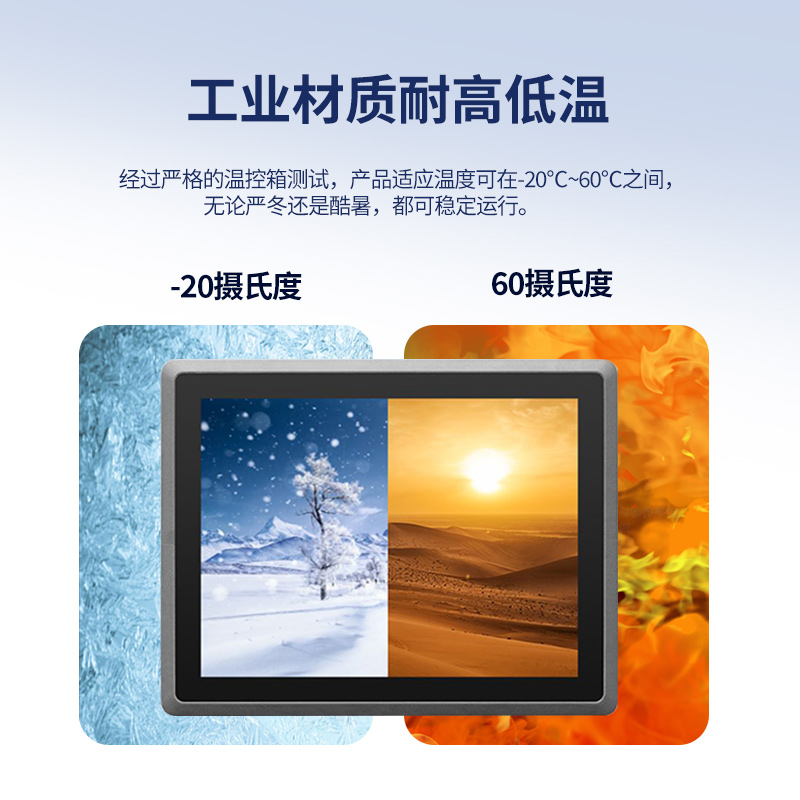
Avoidance Guide: When purchasing industrial touch screens, one should first clearly define their application scenarios and requirements, and choose the appropriate configuration based on the scene requirements. For simple equipment control scenarios, choosing basic configuration can meet the requirements; in scenarios that require a large amount of data processing and complex instruction execution, choose products with higher configurations. At the same time, one should combine the environmental conditions of the scene to select products with corresponding environmental adaptability, such as choosing wide-temperature products for high-temperature scenarios, and high-protective-grade products for dusty scenarios, to avoid mismatch between configuration and scene requirements.
Common Misunderstanding 2: Confusing industrial-grade and civilian-grade products, ignoring product durability. Some users when purchasing, confuse civilian-grade touch screens with industrial-grade touch screens, believing that there is no essential difference between them, and to save costs, choose civilian-grade touch screens for industrial scenarios. Civilian-grade touch screens are mainly used in commercial and household scenarios, with poor environmental adaptability and low durability, unable to withstand the harsh conditions of industrial scenarios such as high temperatures, vibrations, and dust, and are prone to failure over time, thereby increasing maintenance costs.
Avoidance Guide: Industrial scenarios must choose industrial-grade touch screens. Industrial-grade touch screens use industrial-grade components and have good environmental adaptability, durability, and stability, capable of adapting to the harsh environments of industrial scenarios and operating continuously for a long time. When purchasing, one should check the component selection, protection level, wide-temperature range, etc. of the product to confirm that it is an industrial-grade standard product, avoiding purchasing civilian-grade products for industrial scenarios.
Common Misunderstanding 3: Focusing only on price, ignoring product quality and after-sales service. Some users when purchasing, consider price as the primary factor, choose low-priced products, and ignore the product’s quality and after-sales service. Low-priced industrial touch screens often have deficiencies in component selection, structural design, and technical optimization, with poor stability and durability, prone to failures; at the same time, these products have an imperfect after-sales service system, making it difficult to solve problems after they occur, affecting the normal operation of industrial production.
Avoidance Guide: When purchasing industrial touch screens, one should consider product quality, price, and after-sales service comprehensively, avoiding blindly pursuing low prices. One should choose reliable brand products, check test reports, quality certifications, etc., to confirm that the product’s quality meets industrial standards; at the same time, understand the brand’s after-sales service system to ensure that in case of product problems, timely technical support and maintenance services can be obtained, reducing downtime losses.
Common Misunderstanding 4: Ignoring the selection of touch control methods, resulting in inconvenient operation. The operational requirements in industrial scenarios vary greatly. Some scenarios require wearing gloves for operation, some need high-precision touch control, and some need multi-point touch control. Some users, when making purchases, do not consider the compatibility of the touch control method and blindly choose capacitive screens or resistive screens, resulting in inconvenient operation and reduced production efficiency.
Avoiding Pitfalls Guide: When purchasing, one should select the appropriate touch control method based on the operational requirements. Resistive screens have strong anti-interference capabilities and support various touch control media such as gloves and touch pens, making them suitable for scenarios where gloves need to be worn for operation and in harsh environments; Capacitive screens have high touch control accuracy and sensitivity, and support multi-point touch control, ensuring smooth operation and suitability for scenarios where the environment is clean, gloves are not required for operation, and high touch control experience is demanded. At the same time, the sensitivity and accuracy of touch control should be tested to ensure they meet the actual operational requirements.
Common Mistake Five: Ignoring interface compatibility, resulting in inability to properly connect devices. Industrial touch screens need to be connected to industrial equipment, sensors, printers, and other peripherals. Interface compatibility is crucial. Some users, when making purchases, do not confirm the type and quantity of interfaces, causing the purchased products to be unable to connect to existing peripherals and requiring additional adapter devices, increasing costs and operational complexity.
Avoiding Pitfalls Guide: Before purchasing, one should clearly identify the type and quantity of interfaces of the existing peripherals and choose an industrial touch screen with matching interface types and sufficient interface quantity. Common industrial interfaces include Ethernet interfaces, RS232 interfaces, RS485 interfaces, USB interfaces, etc. One should select the appropriate interface configuration based on the requirements of the peripherals to ensure that the product can directly connect to the peripherals without the need for additional adapters.